The Complete Guide to Adding an Interactive Quiz Plugin to Your Squarespace Website (Lifetime Access, Zero Subscriptions, Professional Results)
Are you looking to add an interactive quiz to your Squarespace website without paying monthly fees or hiring a developer? If you want to boost engagement, collect lead information, and create memorable experiences for your visitors, a Squarespace quiz plugin is exactly what you need.
In this comprehensive guide, I'll show you why adding a quiz to your Squarespace site is one of the smartest moves you can make in 2025 and how you can do it with just a one-time payment and lifetime access.
Why Interactive Quizzes Are Essential for Modern Squarespace Websites
Static websites are becoming obsolete. Today's visitors expect interactive, personalized experiences that speak directly to their needs. Quizzes provide exactly that they transform passive readers into active participants.
The Power of Engagement
According to recent marketing data, interactive content generates 2x more conversions than passive content and increases time-on-site by an average of 95%. For Squarespace users looking to maximize their site's potential, this represents a massive opportunity.
Whether you're using a classic Squarespace template like Bedford or a modern design from the latest family, quizzes integrate seamlessly and boost every metric that matters:
Reduce bounce rates by 40-60%
Increase average session duration by 3-5 minutes
Generate social shares that build backlinks
Capture qualified leads naturally and ethically
Improve SEO rankings through engagement signals
Lead Generation That Feels Natural
Traditional lead capture forms have a major problem: they feel intrusive. Visitors are tired of being asked for their email address before receiving any value.
Quizzes flip this dynamic. They provide immediate value (personalized results) while naturally collecting contact information. The psychological principle of reciprocity kicks in visitors are happy to share their email because they're receiving something valuable in return.
Try It Yourself: Take the Interactive Quiz Demo
Before we dive into the features and benefits, experience the quiz for yourself. This is the exact same quiz you'll be able to add to your own Squarespace website:
Discover Your Learning Style
Take this quick quiz to find out how you learn best!
Quiz Complete!
Your Results Summary
Pretty impressive, right? And it works flawlessly on mobile devices too. Now imagine having this level of interactivity on your own Squarespace site capturing leads, engaging visitors, and delivering personalized experiences.
What Makes This Squarespace Quiz Plugin Different
This isn't just another Squarespace plugin it's a complete lead generation and engagement system designed specifically for Squarespace users who want professional functionality without ongoing costs.
One Time Payment, Lifetime Access
Let's address the elephant in the room: most quiz platforms operate on exploitative subscription models. They charge $20-$100 per month, knowing you'll stay subscribed because migrating your data is painful.
Popular quiz platforms charge:
Typeform: $25-$50/month ($300-$600/year)
Outgrow: $14-$95/month ($168-$1,140/year)
Interact: $27-$125/month ($324-$1,500/year)
Involve.me: $29-$79/month ($348-$948/year)
This plugin breaks that cycle. You pay once, own it forever. No renewals, no "premium" upsells, no features locked behind paywalls.
The Math:
1 year with Typeform: $300-$600
3 years with Typeform: $900-$1,800
5 years with Typeform: $1,500-$3,000
With this plugin: One payment. Infinite use. The savings compound year after year.
No Developer Required (But Fully Customizable)
This plugin is built for the Squarespace community creative professionals, entrepreneurs, coaches, and business owners who want powerful functionality without technical headaches.
Installation takes 10 minutes through simple copy-paste. But if you want to customize every detail, the code is clean, well-documented, and designed for easy modification. You get the best of both worlds.
Works With Any Squarespace Template
Whether you're using Bedford, Brine, Pacific, or any other Squarespace template, this quiz plugin integrates perfectly. The responsive design adapts to your existing styles while maintaining its own professional appearance.
Unlike third-party embeds that clash with your site's aesthetics, this plugin feels native as if Squarespace built it themselves.
Enterprise Level Features at a Fraction of the Cost
This isn't a bare-bones quiz builder. You get:
Design & Experience:
Multi-step quiz flow with progress tracking
Smooth animations and transitions
Mobile-responsive design that looks perfect on every device
Accessibility features for inclusive experiences
Professional UI that builds trust and credibility
Functionality:
Unlimited questions and answer options
Multiple result types with personalized outcomes
Lead capture forms with validation
Conditional logic for sophisticated scoring
Results analytics to understand your audience
Data & Integration:
Export to Google Sheets (free and recommended)
Connect to webhooks (Zapier, Make.com, n8n)
Integrate with email marketing platforms
Custom database connections for advanced users
You own all data no vendor lock-in
Email Data Collection Options
Here are the best free options to collect quiz results via email:
Option 1: Web3Forms
Setup time: 30 seconds
Cost: FREE (250 submissions/month)
Steps:
Go to https://web3forms.com
Enter your email
Copy your Access Key
Paste it in the code where it says
YOUR_WEB3FORMS_ACCESS_KEY
You'll receive: Email with all quiz data instantly
Best for: Quick setup, reliable delivery
Option 2: Formspree
Setup time: 2 minutes
Cost: FREE (50 submissions/month)
Steps:
Go to https://formspree.io
Create free account
Create new form
Copy endpoint URL (looks like:
https://formspree.io/f/xyzabc123)Change
methodin code to"formspree"Paste endpoint in
formspree.endpoint
Option 3: Google Sheets + Apps Script
Setup time: 10 minutes
Cost: FREE (unlimited)
Benefit: Data goes directly to Google Sheets for analysis
Steps: Would require creating a Google Apps Script webhook
Option 4: Airtable Forms
Cost: FREE
Benefit: Beautiful database interface, easy to filter and analyze results
Similar to Google Sheets but prettier
My Recommendation:
Start with Web3Forms - it's the fastest to set up and works perfectly. Here's what you need to do:
Go to https://web3forms.com
Enter your email and click "Get Access Key"
Copy the access key they give you
In your code, find this line: YOUR_WEB3FORMS_ACCESS_KEY
Real World Applications: How Businesses Use This Quiz Plugin
E-Commerce: Product Recommendation Quizzes
Use Case: "Find Your Perfect Product" quizzes Result: Dramatically reduce decision paralysis and increase average order value
Create quizzes like:
"Which Skincare Routine Is Right for You?"
"Find Your Perfect Coffee Blend"
"What's Your Ideal Furniture Style?"
Recommend specific products based on customer preferences, reducing returns and increasing satisfaction.
Coaching & Consulting: Lead Qualification
Use Case: Assessment quizzes that demonstrate expertise Result: Only speak with qualified prospects ready for your services
Create quizzes like:
"What's Your Business Growth Stage?"
"Are You Ready for a Life Coach?"
"What Type of Leadership Training Do You Need?"
Pre-qualify leads while showcasing your expertise and understanding of their challenges.
Content Creators: Audience Segmentation
Use Case: "What Type of [Reader/Viewer] Are You?" Result: Segment your audience for targeted content and offers
Create quizzes like:
"What's Your Content Consumption Style?"
"Which Fitness Journey Matches You?"
"What Type of Entrepreneur Are You?"
Understand your audience deeply, create targeted content, and increase affiliate revenue through personalized recommendations.
Real Estate: Property Matching
Use Case: Buyer preference quizzes Result: Capture qualified buyer information while providing genuine value
Create quizzes like:
"Find Your Dream Home Style"
"What Neighborhood Fits Your Lifestyle?"
"Investment Property Finder"
Help buyers articulate their needs while capturing their contact information for follow-up.
Health & Wellness: Assessments
Use Case: Fitness, nutrition, or symptom assessments Result: Establish authority and build trust before the first consultation
Create quizzes like:
"What's Your Fitness Personality?"
"Find Your Ideal Nutrition Plan"
"Wellness Assessment Quiz"
Position yourself as an expert while collecting leads for consultations or programs.
Why One Time Payment Beats Subscription Models
Let's be honest about the true cost of subscription fatigue.
The Subscription Trap
The average business now pays for 254 subscription services. That's overwhelming, expensive, and unnecessary for tools you'll use indefinitely.
3-year comparison:
Typeform (basic plan): $1,800
This plugin: One payment
Your savings: $1,800+
5-year comparison:
Typeform (basic plan): $3,000
This plugin: One payment
Your savings: $3,000+
The ROI becomes infinite. You own the code. No price increases, no feature removals, no "upgrade to premium" pressure.
Feature Lockouts and Upsell Pressure
SaaS platforms love the "freemium" model — give you basic features, then lock essential functionality behind premium tiers:
Want to remove branding? Upgrade.
Need more responses per month? Upgrade.
Want custom styling? Upgrade.
Need data export? Upgrade.
Want email integration? Upgrade.
With this plugin, you get everything from day one. No artificial limitations, no tiered pricing, no frustrating feature walls.
Platform Lock-In and Data Ownership
When you use a SaaS quiz platform, they own your data. If you cancel, you lose:
Historical response data
Email lists (sometimes)
The quiz itself (must rebuild elsewhere)
All analytics and insights
With this self-hosted Squarespace plugin, you own everything. Your data lives in your Google Sheet or database. You control it completely. Want to migrate to a different platform later? Your data comes with you.
Performance and Loading Speed
Third-party quiz embeds are notoriously slow. They:
Load external scripts from multiple domains
Add tracking pixels and bloat
Slow down your entire page
Hurt your SEO rankings
This plugin is native code on your Squarespace site. It's optimized, lightweight, and loads instantly. Google rewards fast sites with higher rankings another compounding benefit.
How to Install This Quiz Plugin on Your Squarespace Website
Installing this plugin on your Squarespace site is incredibly simple. Here are three methods, from easiest to most advanced:
Method 1: Code Block (Simplest — 5 Minutes)
Perfect for beginners who want a quiz on a single page.
Step 1: Create or edit the page where you want your quiz
Step 2: Add a Code Block where you want the quiz to appear
Step 3: Paste the quiz code into the Code Block
Step 4: Turn OFF "Display Source"
Step 5: Save and preview
That's it! Your quiz is live.
Method 2: Page Header Injection (Recommended — 8 Minutes)
Cleaner implementation with better performance.
Step 1: Navigate to the page where you want your quiz
Step 2: Click the gear icon (⚙️) and select "Advanced"
Step 3: Add the quiz code to "Page Header Code Injection"
Step 4: In the page editor, add a Code Block with just the container
Step 5: Save and publish
Your quiz will load faster and integrate more seamlessly with your page design.
Method 3: Site-Wide Code Injection (Advanced — 10 Minutes)
Makes your quiz code available across your entire site perfect for multiple quizzes.
Step 1: Go to Settings → Advanced → Code Injection
Step 2: Paste the quiz code in the Footer section
Step 3: Deploy on any page by adding a simple container code
Step 4: Create different quizzes with unique configurations
Ultimate flexibility for power users.
What You Can Customize
Once installed, you can easily customize:
Content:
Quiz title and description
All questions and answer options
Result types and descriptions
Lead capture fields
Design:
Colors to match your brand
Fonts and typography
Button styles and shapes
Spacing and layout
Animations and transitions
Functionality:
Number of questions (5-50+)
Scoring logic and result calculation
Data collection destination
Email integrations
Follow-up sequences
Everything is customizable to match your unique brand and goals.
SEO Benefits: How Quizzes Boost Your Google Rankings
Beyond engagement and lead generation, quizzes can significantly improve your SEO performance.
Engagement Metrics Google Loves
Search engines prioritize user engagement. When visitors spend more time on your site, explore multiple pages, and return for more content, Google interprets this as a signal that your site provides exceptional value.
Quizzes improve:
Time on site: From 90 seconds to 4+ minutes
Bounce rate: Reduced by 40-60%
Pages per session: Increased from 2 to 5+
Return visitor rate: Improved by 30-50%
All of these are ranking factors that compound over time.
Content Opportunities
Quizzes create natural content expansion opportunities:
Blog posts about each result type
Detailed guides for different quiz outcomes
Social media content sharing quiz insights
Video content explaining results
Email sequences tailored to each segment
Each piece of quiz-related content targets new keywords and attracts different audience segments.
Social Signals and Backlinks
Quiz results are highly shareable. When users post their results on social media, they:
Create brand awareness
Generate referral traffic
Build natural backlinks
Increase social proof
These social signals indirectly boost your SEO performance.
Internal Linking Opportunities
Quizzes create natural internal linking opportunities throughout your site:
Blog posts can link to relevant quizzes
Quiz results can link to product pages
Email campaigns drive traffic to quiz pages
Resource pages feature quizzes as tools
This internal linking structure strengthens your entire site's SEO.
Maximize Your Quiz's Lead Generation Potential
Having a quiz is great. Having a quiz that converts is transformational. Here are proven strategies to maximize results.
Optimize Your Start Screen
Clear value proposition: Don't just say "Take our quiz." Say "Discover your perfect outcome in 2 minutes."
Social proof: Add text like "Join 5,000+ people who've discovered their result"
Time commitment: Always mention duration: "Just 5 questions, 90 seconds"
Minimal friction: Only ask for name and email initially. Don't overwhelm with additional fields.
Visual appeal: Use an attractive image that represents the quiz outcome.
Craft Engaging Questions
Avoid yes/no questions: They're boring and provide limited data. Use 3-4 options minimum.
Use conversational language: Write how your audience speaks, not how a textbook reads.
Keep it moving: Each question should take 3-5 seconds to answer.
Balance appeal: If one option is clearly "better," everyone will choose it and your quiz loses value.
Write Results That Convert
Your results page is where browsers become subscribers and subscribers become customers.
Formula for high-converting results:
Immediate affirmation: "You're a [Result Type]! This means you [key characteristic]."
Deeper insights: Your strengths, potential challenges, and what makes you unique
Actionable next steps: 3-4 specific actions they can take immediately
Soft CTA: Offer a relevant lead magnet or resource
Product connection: Naturally mention relevant products/services
Make every result feel like a win. Positive, affirming, actionable.
Strategic Integration Into Your Marketing Funnel
A quiz shouldn't exist in isolation. It should be a central component of your overall strategy.
The Quiz-Centric Funnel
Stage 1: Awareness → Drive traffic to quiz through SEO, social, ads, guest posts
Stage 2: Engagement → Interactive quiz experience captures email and preferences
Stage 3: Nurturing → Segmented email sequences based on quiz results
Stage 4: Conversion → Targeted offers matching quiz outcomes
Stage 5: Retention → Ongoing value delivery and community building
Strategic Placement Options
Homepage: Prominent CTA section above or below the fold
Blog posts: End articles with "Want personalized insights? Take our quiz."
About page: "Curious if we're the right fit? Take this quick assessment."
Pop-up: Exit-intent offering quiz as value before leaving
Navigation menu: Dedicated "Take Quiz" link
Email signature: Include quiz link in your email footer
Make your quiz easily accessible from multiple entry points.
What You Get With This Squarespace Quiz Plugin
Complete, production-ready quiz code — Copy, paste, and launch in minutes
Fully responsive design — Looks perfect on desktop, tablet, and mobile
Lead capture system — Collects name, email, and quiz responses
Data collection setup — Easy integration with Google Sheets or email platforms
Multiple result types — Personalized outcomes based on answers
Progress tracking — Visual progress bar keeps users engaged
Professional animations — Smooth transitions create premium experience
Customization guide — Clear instructions for personalizing your quiz
Installation documentation — Step-by-step for all skill levels
Lifetime access — Use forever on unlimited Squarespace sites
Free updates — Get improvements and new features as they're released
No monthly fees — One payment, infinite value
Who This Plugin Is Perfect For
E-commerce store owners recommending products based on preferences
Coaches and consultants qualifying leads and demonstrating expertise
Content creators and bloggers growing email lists organically
Service businesses increasing engagement and capturing inquiries
Agencies managing multiple client sites needing cost-effective solutions
Entrepreneurs building Squarespace sites on a budget
Marketers who understand the power of interactive content
Anyone wanting to transform their static Squarespace site into an engaging experience
The Investment That Pays For Itself
Consider this: If your quiz captures just 10 additional email subscribers per month, and the average subscriber value is $50 over their lifetime, that's $500/month in additional revenue potential.
Over one year: $6,000 in additional value
Over three years: $18,000 in additional value
All from a one-time investment that costs less than two months of a typical SaaS quiz platform.
The ROI is undeniable. The value compounds month after month, year after year.
Frequently Asked Questions
-
Yes! Use it on any Squarespace site you own or manage no limits.
-
No. It's lightweight native code that loads faster than third-party embeds.
-
No coding required for installation. Basic customization is simple text editing.
-
Absolutely. Change colors, fonts, spacing everything is customizable.
-
Unlimited. Create as many different quizzes as you want.
-
Yes. Works with any Squarespace template (7.0 and 7.1).
-
You choose Google Sheets (free), email platforms, webhooks, or custom databases. You own all data.
-
Yes. Edit anytime and changes appear immediately.
-
Yes. Basic installation support is included to ensure your success.
-
Perfect! Customize results to include product recommendations and buy buttons.
Ready to Transform Your Squarespace Website?
You've seen how the quiz works. You understand the value. You know the ROI.
Now it's time to stop losing potential customers to boring, static websites. Give your visitors an engaging experience that converts.
Get Instant Access to the Squarespace Quiz Plugin

What happens next:
Complete your purchase (secure checkout)
Receive instant access to the complete quiz code
Get step-by-step installation instructions
Launch your quiz in 10 minutes or less
Start capturing leads today
No monthly fees. No subscriptions. Just powerful functionality you own forever.
Explore More Squarespace Plugins & Templates
Building on the success of your quiz, discover more ways to enhance your Squarespace site:
Browse All Squarespace Plugins
Explore our complete collection of one-time purchase Squarespace plugins that add powerful functionality without subscription fees.

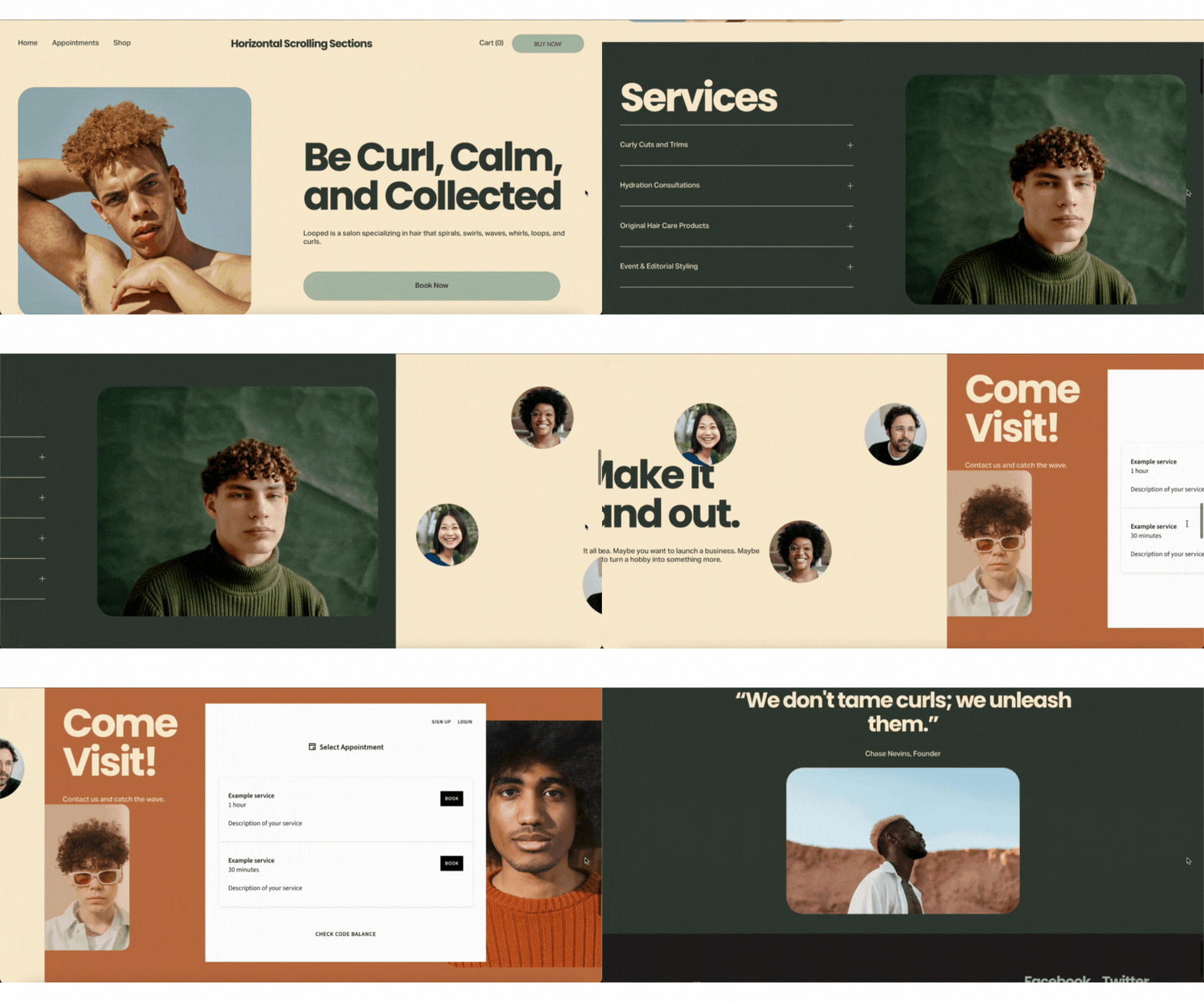



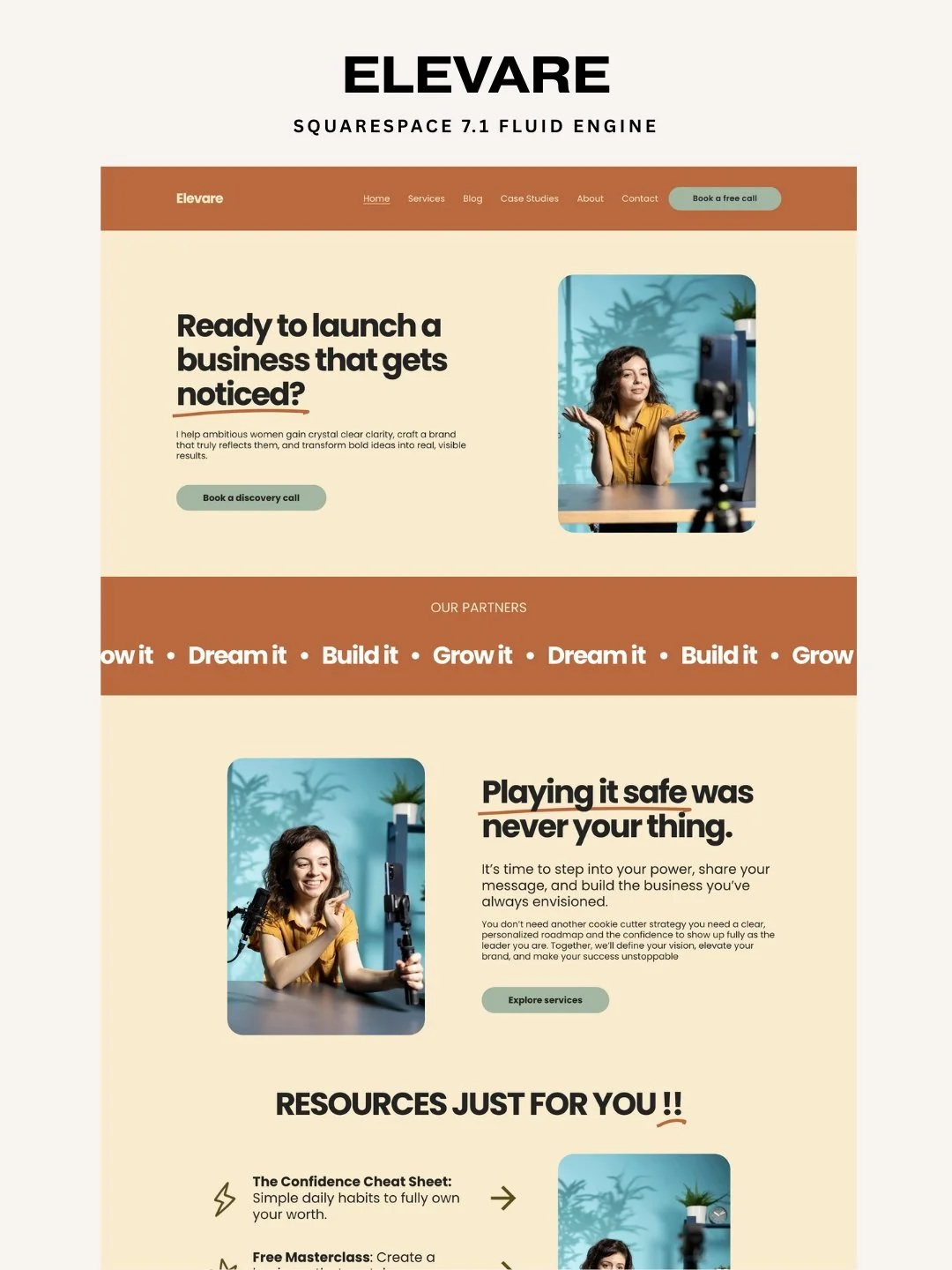
View Squarespace Templates
Find beautifully designed, conversion-optimized Squarespace templates for every industry and use case.


Get Custom Development
Need something unique? We offer custom Squarespace plugin development tailored to your specific needs.
Join Thousands Who've Upgraded Their Squarespace Sites
Don't let your Squarespace website sit static while competitors engage visitors with interactive experiences.
Take action today: Get your quiz plugin now and transform casual visitors into captured leads.
Your more engaging, more profitable Squarespace website is just one plugin away.
Have questions? Drop a comment below or contact us we love helping Squarespace users succeed!
Ready to get started? Click here to purchase the Squarespace Quiz Plugin and start capturing leads today.